|
MyAssistant has two parts: the MyAssistant Server software and the MyAssistant workstation(s). When initially setting up MyAssistant, the first thing installed will be the MyAssistant Server software.
After the MyAssistant Server has been installed, it will need to be configured -- this section covers the steps involved in configuring the MyAssistant Server for the first time, as well as what can be changed after the initial configuration.
Configuring the MyAssistant Server involves the following steps:
1.Activate the MyAssistant Server
2.Select which prebuilt “Tasks” (Construction or Real Estate) to use in MyAssistant
3.Enter the Sage user name and password MyAssistant will use to access Sage 300 CRE data
4.Choose which Sage 300 CRE data folders MyAssistant will monitor
5.Enter the email address(es) MyAssistant will use to send emails
6.Specify MyAssistant Server settings
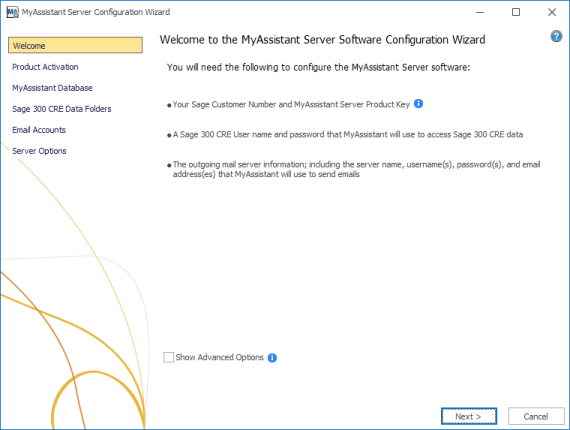
When you configure the MyAssistant Server, you'll start on a "Welcome" screen with a couple reminders of what you'll need and an option to show the Advanced Options.
|

